Cook with what you have
Start with your pantry.
Pasta, tomatoes or a few vegetables: keep track of what you have and check what else a recipe needs.
Request alpha access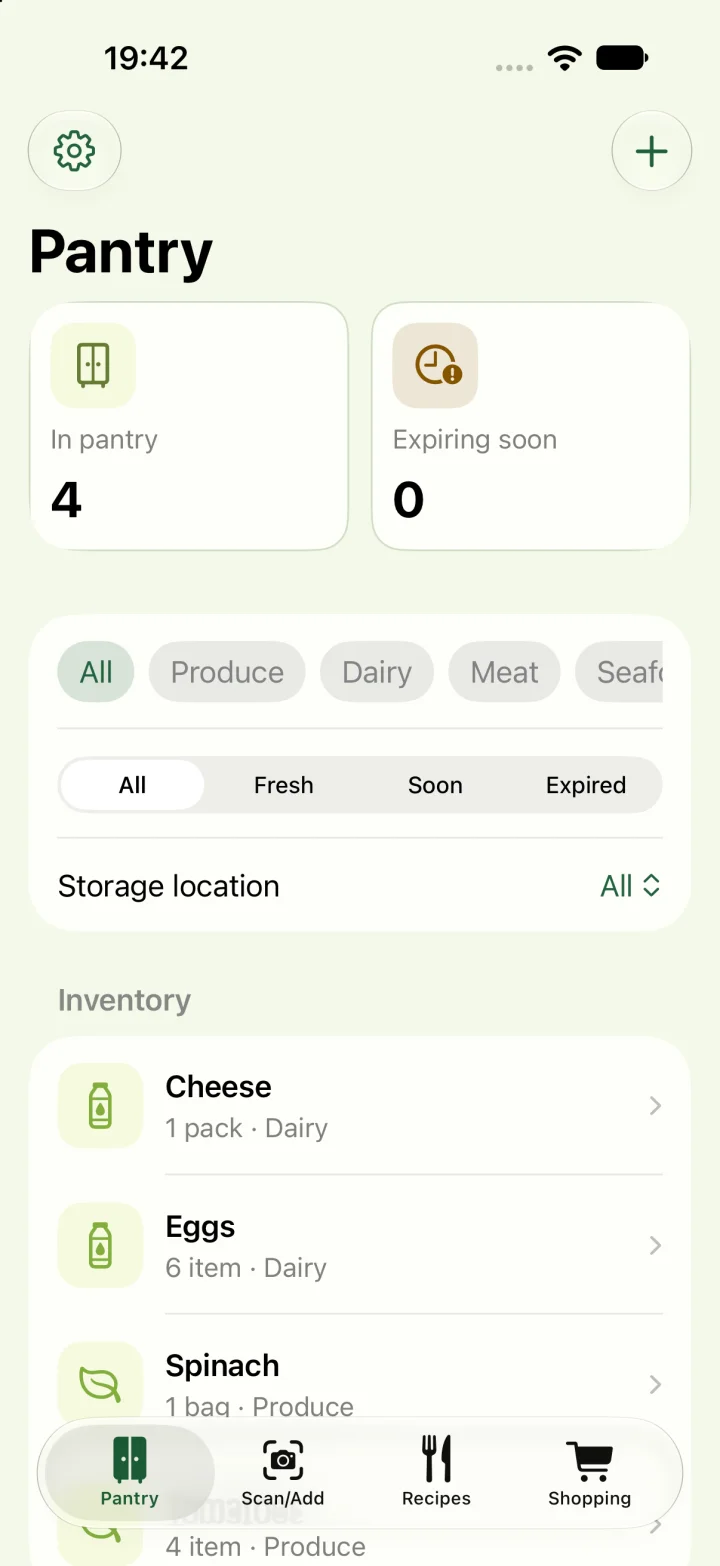
Keep your pantry organized
Add products and amounts to your pantry. Categories and freshness filters help you find what is in your kitchen. You maintain what you add and use; viewing a recipe does not automatically change your stock.
Check a recipe against your pantry
A recipe does not need every ingredient in stock to be worth cooking. Check which products are available and which are missing. Review quantities and units before you start.
Make a focused shopping list
Use the recipe action to add missing ingredients to your shopping list. Review the list before shopping. Checking items off and updating pantry stock are separate actions. Optional AI can help with ideas, but is not required to use your pantry and recipes.
Good to know
Questions about Korevu
How do I access the alpha?
Request an invitation using the form and choose your platform. Installation and activation instructions follow your invitation. Applying does not give immediate access.
Which devices can I test Korevu on?
The alpha is available to invited testers on iPhone through TestFlight and on Android through Google Play. Features can differ between platforms and devices.
Do I have to use AI?
No. You can manage pantry items, recipes and shopping without AI. AI recipe suggestions are optional and depend on the available provider and device support. Review a suggestion before using it.
Which features are part of Pro?
Meal planning and unlimited storage of personal, imported and saved AI recipes are part of Korevu Pro. Free supports up to ten of these recipes combined. This does not mean unlimited AI generation; availability may change during the alpha.