Meal planning in Korevu
Know what’s cooking this week.
Give recipes a place in your week. View breakfast, lunch and dinner by day, and add missing ingredients to your shopping list.
Request alpha access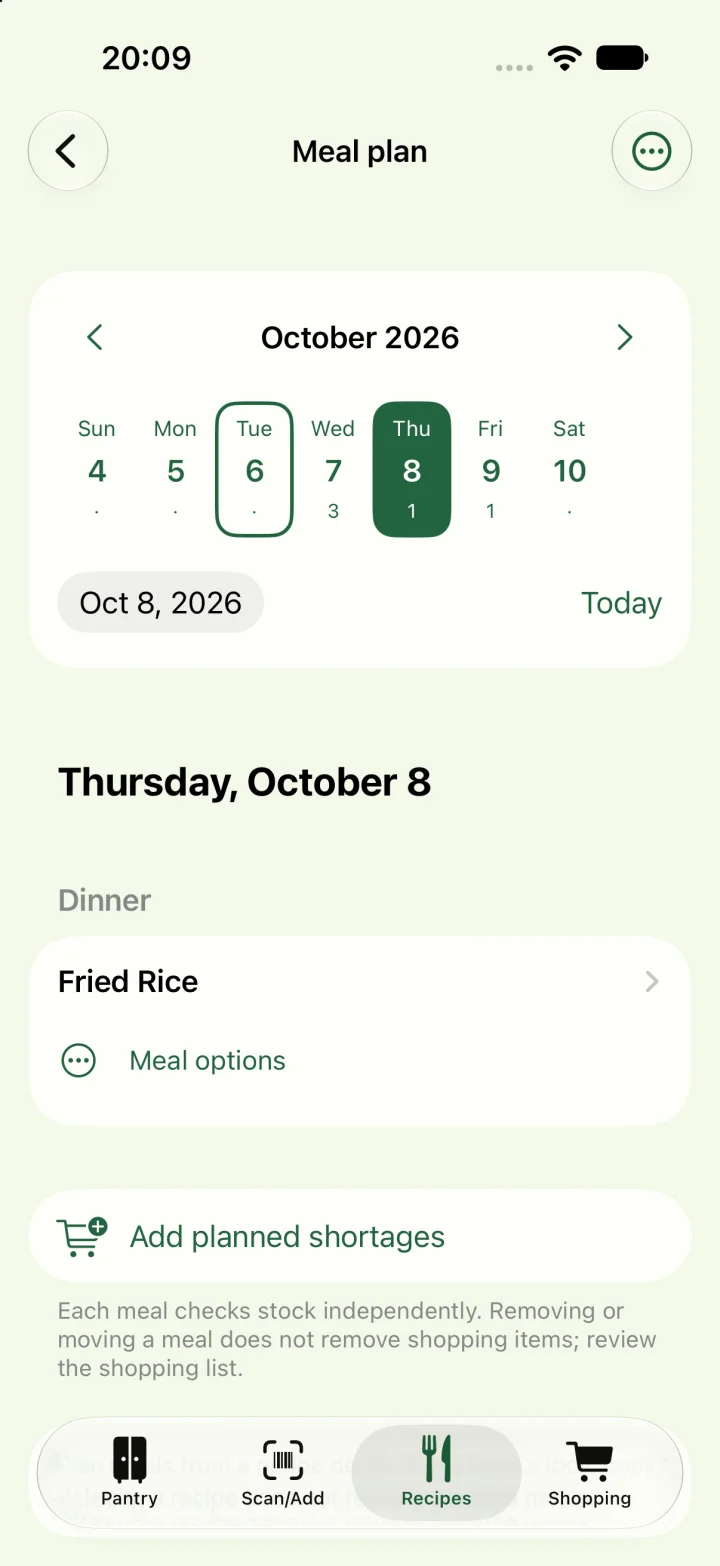
Plan from a recipe
Open a recipe and choose its planning action. Select the day and meal occasion. Save a favorite meal while you have inspiration, rather than deciding only when it is time to cook.
See your day in the calendar
The calendar shows which days have planned meals. Open a day to see breakfast, lunch and dinner together. The real example here has fried rice planned for Thursday. Pro lets you change or move planned meals.
Take missing ingredients shopping
Add missing ingredients from the plan to your shopping list. Each meal checks pantry stock separately. Moving or removing a meal does not remove existing shopping items, so review your list yourself. Meal planning is a Pro feature; existing plans remain accessible.
Good to know
Questions about Korevu
How do I access the alpha?
Request an invitation using the form and choose your platform. Installation and activation instructions follow your invitation. Applying does not give immediate access.
Which devices can I test Korevu on?
The alpha is available to invited testers on iPhone through TestFlight and on Android through Google Play. Features can differ between platforms and devices.
Do I have to use AI?
No. You can manage pantry items, recipes and shopping without AI. AI recipe suggestions are optional and depend on the available provider and device support. Review a suggestion before using it.
Which features are part of Pro?
Meal planning and unlimited storage of personal, imported and saved AI recipes are part of Korevu Pro. Free supports up to ten of these recipes combined. This does not mean unlimited AI generation; availability may change during the alpha.